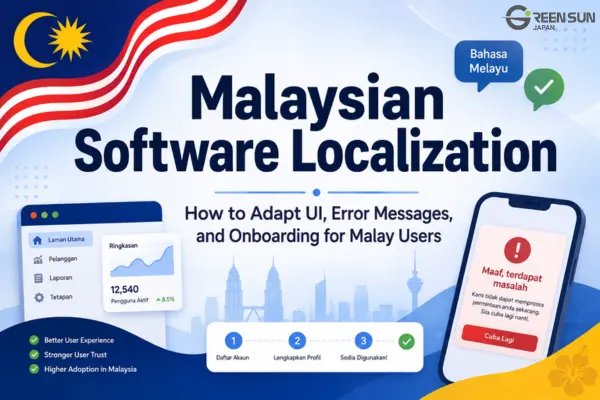
Hindi software localization adapts your app’s interface, onboarding, and help content for Hindi-speaking users. It combines translation with design and testing so people can understand what to do, complete key tasks, and get help in their preferred language.
This guide covers what to localize first, how to handle Devanagari text in your UI, and how to keep terminology consistent across the product.
India is multilingual, so a Hindi release should serve a defined audience rather than assume that all Indian users prefer Hindi. Decide which users you are targeting and how formal or conversational the language should be before translation begins.
- Translate in context: Give translators screenshots, string descriptions, and access to key workflows.
- Connect the experience: Use the same terminology in UI labels, onboarding instructions, and help articles.
- Test the finished interface: Check text fit, Devanagari rendering, input fields, and critical tasks on supported devices.

1. How Does Hindi Software Localization Differ from Document Translation?
Both document translation and software localization require accurate, readable language. Software adds another requirement: each translated string must work within an interactive interface.
| Criteria | Document Translation | Software / App Localization |
|---|---|---|
| Nature | Translating static text such as PDFs, Word documents, and contracts. | Optimizing dynamic interfaces, user workflows, and the overall user experience. |
| Technical Factors | Must account for page layout, formatting, and space constraints. | Must also handle responsive layouts, Devanagari rendering, placeholders, and interactive states. |
| Objective | Ensuring the accuracy of translated content. | Ensuring seamless user interactions within the app. |
A short label such as “Open” can mean an action or a status. Translators need context to choose the right wording. Product designers, developers, and Hindi reviewers should resolve these ambiguities together and review the translations in the working app.
2. Key Areas for Hindi App Localization
Plan the work around three parts of the user journey:
- UI labels and microcopy: Translate buttons, menus, field labels, validation messages, and error recovery instructions. Use clear action labels and flexible layouts. Text width varies by wording, font, and component; a fixed expansion allowance cannot replace testing.
- Onboarding: Adapt welcome screens, walkthroughs, permission requests, and account setup instructions. Keep each step focused on one action. Choose Hindi terms, familiar English terms, or transliterations based on audience research and an agreed style guide.
- Help content: Translate the articles users need to complete tasks and resolve problems. Match instructions to the labels in the Hindi interface, update screenshots, and check that links lead to the appropriate language version.
Build a shared glossary before translating these areas. Record approved terms, terms to leave in English, and examples of the preferred tone.
3. Checklist & Common UI Pitfalls
Prioritize by the impact on users, not just how often a string appears. A rare payment failure or account recovery message may matter more than a frequently viewed tooltip.
Priority Matrix
- Launch-critical: Navigation, sign-up and login, checkout, account recovery, consent and permission screens, and errors that block essential tasks.
- Next: Secondary features, explanatory tooltips, and supporting help articles. Move settings or notifications into the launch-critical group if they affect access, security, or payments.
- Review separately: Developer logs and API documentation have different audiences. Preserve machine-readable keys, identifiers, and placeholders; translate user-facing messages without changing their underlying logic.
Common UI Pitfalls & Solutions
| UI area | Common pitfall | What to check |
|---|---|---|
| Text fit | Labels overflow, wrap awkwardly, or get cut off. | Test actual translations in responsive components. Allow enough width and height without hiding essential wording. |
| Devanagari rendering | Conjuncts render incorrectly or vowel marks are clipped. | Use a font with Devanagari support, such as Noto Sans Devanagari. Test shaping, line height, and font fallback on supported devices. |
| Terminology | Literal or inconsistent translations confuse users. | Agree on a glossary and review terminology with Hindi-speaking users or reviewers familiar with the product. |
| Regional formats | Dates, amounts, or phone fields are unclear or reject valid input. | Use locale-aware formatting and validate input against the product’s supported markets. Test currency, numbers, dates, and phone entry. |
| Dynamic strings | Translated text breaks placeholders or produces unnatural word order. | Preserve placeholder names and markup. Translate complete messages and test variable values and plural forms in context. |

4. Conclusion
Start with a defined audience, a shared glossary, and the workflows users need most. Then review the Hindi interface on real devices, check the matching help content, and resolve issues before release.
Treat localization as ongoing product work. Assign responsibility for new strings, updated screenshots, and help articles so the Hindi experience stays aligned with each release.
5. FAQ
1. How much extra space should we allow for Hindi UI text?
There is no single percentage that works for every string. Short labels, longer sentences, and different fonts behave differently. Use flexible components and test actual Hindi text at supported screen sizes and text scaling settings.
2. Should every technical term be translated into Hindi?
Not necessarily. Choose the wording your target users understand, then apply it consistently. Transliteration writes a word in another script; Hinglish refers to a mix of Hindi and English. These are different choices, and neither should be the default without considering your audience.
3. Which font can we use for a Hindi interface?
Noto Sans Devanagari is one option to evaluate. A suitable font is only part of the solution: test character shaping, conjuncts, vowel marks, line height, and fallback behavior across your supported operating systems and browsers.
4. Which UI areas should be prioritized for localization first?
Start with the tasks people must complete to use the product: signing in, navigating, making payments, and recovering from errors. Include relevant consent, security, and account recovery messages before moving to less critical content.
5. How can we ensure consistency between the software UI and the help center?
Use a shared glossary and copy the approved UI labels into help instructions. Review screenshots and links whenever the interface changes, and include help content in the same release review as the app.

Related services: Website, app, and game localization · Hindi translation services
Planning a Hindi release?
Discuss your Hindi localization project with Green Sun Japan. Share your target audience, key workflows, and release timeline to help define the scope.