Release notes must describe the product version users actually receive. A correct translation can still mislead readers if it announces a postponed feature or uses a name that differs from the localized interface.
Direct Answer
Check release notes against the approved source and product version, use feature names that match each localized interface, and review every language before publication. If an error or product change requires an update, correct the affected versions and record the revision.
Key Takeaways
- Version: Confirm the release number, date, rollout scope, and included changes.
- Terminology: Match feature names to the interface and approved termbase for that version.
- Corrections: Assign an owner, update affected languages, and keep a revision record.

1. Why Should Multilingual Release Notes Stay Consistent Across Software Versions?
Release notes describe the features, improvements, and fixes included in a particular version. Each translation needs to match that version as well as the approved source.
Inconsistencies in release notes localization can lead to three main issues:
- Inaccurate version information: Translations may contain outdated content or mention unreleased features, causing users to misunderstand what has changed.
- Feature names that do not match the interface: Release notes may use terms that differ from those displayed in the software, making features harder to find.
- Inconsistent update messages: Translations may describe the same change differently, creating inconsistencies across languages.
For example, if a feature is renamed from Activity Log to Activity History in a new version, but the release notes in one language still use the old name, users may have difficulty matching the update information to the actual interface.
Check version details, feature names, and update descriptions across all language versions.
2. How to Verify Release Notes Against the Original Content and Software Version
Before translation, compare the notes with the product team’s approved changes and confirm which release they describe.
The verification process can be completed in four steps:
| Step | What to Check | Purpose |
|---|---|---|
| 1. Confirm the source | Use release notes approved by the product team. | Avoid translating drafts or incomplete documents. |
| 2. Check version details | Verify the version number, release date, and rollout scope. | Ensure the information is accurate for each market. |
| 3. Verify product changes | Review new features, improvements, and bug fixes. | Exclude changes that have not yet been released. |
| 4. Compare versions | Identify content that has been added, revised, or is no longer applicable compared to the previous version. | Detect outdated or inaccurate information. |
Example: In the English release notes, the Advanced Search feature is initially scheduled for version 3.2 but is postponed to version 3.3. If the Japanese release notes for version 3.2 still announce 高度な検索 (Advanced Search) as a new feature, Japanese users may mistakenly believe it is already available. Therefore, this information should be removed from the version 3.2 release notes in both languages.
This check keeps translated announcements aligned with the product release.
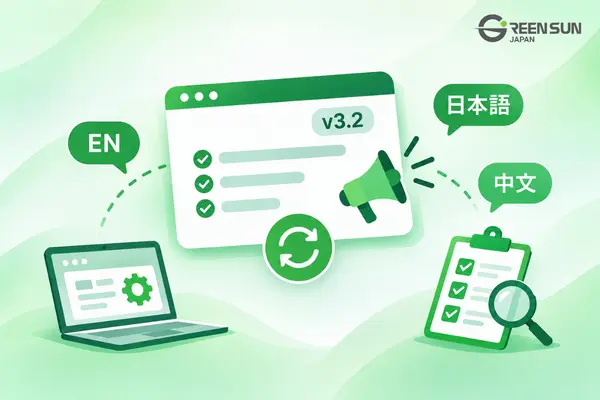
3. How to Keep Feature Names and Terminology Consistent Between Release Notes and the Interface
Use the feature names shown in each localized interface. Maintain an approved termbase and update it when names change.
Three key practices include:
- Use approved terminology: Check feature names against the glossary or termbase, and avoid creating new translations when official terms already exist.
- Verify names against the actual interface: Ensure feature names in the release notes match those displayed in the corresponding software version and language, even when different markets use different names.
- Track feature name changes: When a feature is renamed, update the termbase and review related translations to prevent outdated terms from being reused.
Example: In a new version, the Activity Log feature is renamed to Activity History. If the Japanese interface uses the updated name アクティビティ履歴 (Activity History), the Japanese release notes should use the same term instead of the old name アクティビティログ (Activity Log). This helps users easily match the update information to the software interface.
Use both the termbase and the relevant software build when checking names; an old glossary entry alone may not reflect the new interface.
4. How to Review and Update Release Notes Before and After Release
Assign the product team, localization team, and release manager clear responsibilities for approval and corrections. Review the content in two stages:
The review process has two stages:
| Stage | Key Actions |
|---|---|
| Before release | The product team confirms the update details. The localization team checks translations and feature names against the interface. The release manager approves the final content. |
| After release | Identify reported errors, verify what needs to be corrected, and update affected language versions. Review the corrections and document the revision history. |
Multilingual Release Notes Review Checklist
Before publication, teams can use the following checklist to reduce inconsistencies across software versions and languages:
| Review Criteria | What to Verify |
|---|---|
| ☐ Version details | Confirm the version number, release date, and rollout scope. |
| ☐ Update content | Ensure new features, improvements, and bug fixes match the approved source. |
| ☐ Interface terminology | Verify that feature names match the interface and termbase for each language. |
| ☐ Translation quality | Ensure translations are clear, complete, and contain all key information. |
| ☐ Approval and publication | Confirm translations are approved, linked to the correct version, and assigned an owner responsible for corrections. |
Example: In a hypothetical scenario, the Japanese release notes use 自動同期 (Auto Sync), while the approved interface uses 自動更新 (Auto Update). If this inconsistency is discovered after release, the localization team should confirm the official term, correct the Japanese release notes, verify the updated content, and document the change.
Record corrections and recheck the affected language versions before treating an issue as resolved.
5. Conclusion
Match the notes to the approved release, use the interface’s feature names, and review each language before publication. Assign an owner for later corrections and retain the revision history.
6. Frequently Asked Questions (FAQ)
Q1. When should the original release notes be finalized before translation?
The source release notes should be finalized after the product team confirms the changes included in the release and before translation begins. Any subsequent changes should be communicated to the localization team, and affected translations should be updated accordingly.
Q2. How should feature name changes be handled across languages or regions?
Confirm the approved feature name for each language or region, update the termbase, and ensure the names used in the release notes match those displayed in the corresponding software version’s interface.
Q3. How can teams avoid using outdated information in release notes?
Compare translations against the approved source release notes, verify version numbers, and review changes from the previous release to identify outdated content or information that is no longer applicable.
Q4. What should teams do if a translation error is found in published release notes?
Verify the error with the product team, correct the content in affected languages, and review the updated release notes. Document the revisions for future reference.
Keep Your Software Content Consistent Across Languages with Green Sun Japan
Green Sun Japan supports software-content localization with language review, terminology management, and quality checks.
- Native-speaking translators: Specialists with industry knowledge and an understanding of software context.
- Terminology management: Use of glossaries and translation memory to maintain consistent feature names.
- Quality assurance: A structured translation review process that combines human review with supporting quality assurance tools.
Discuss your software localization requirements with Green Sun Japan, including release notes, interface terminology, and review responsibilities.