A CLDR update can change date and number formatting, calendar behavior, locale names, or text sorting even when the translated strings stay the same. Localization QA needs to account for those changes when a product updates its data or libraries.
CLDR 49, released on October 22, 2026, provides a useful example. The release includes changes that may affect Asian-language products, but the test scope depends on the locales and features each application actually uses.
What to check: Record the old and new CLDR and library versions, identify affected locales and features, and run targeted regression tests. Compare any differences with the release notes before treating them as defects.
Key Takeaways:
- CLDR 49 includes confirmed changes to Japanese era data and introduces new date and time formatting capabilities.
- The impact on individual Asian languages depends on the updated data, the libraries in use, and the product’s functionality.
- Regression testing should distinguish expected changes introduced by CLDR updates from actual display or data-processing defects.
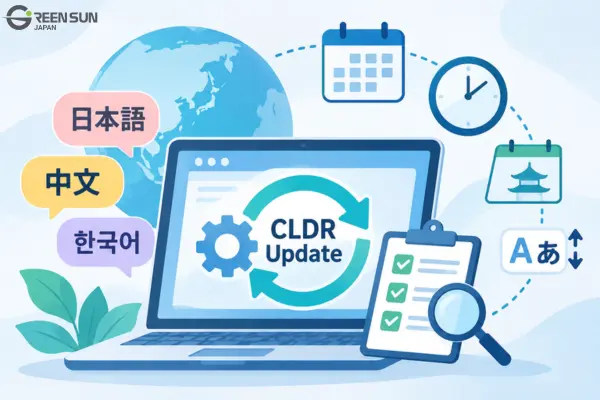
1. What Changed in CLDR 49 That Could Affect Localization Quality?
The CLDR 49 release notes describe changes relevant to localization testing:
- Japanese calendar: Removed era data predating the Meiji period due to uncertainty about the historical records.
- Date and time formatting: Introduced mechanisms for customizing separators, combining dates with time zones, and preventing adjacent numeric components from running together.
- Text collation: Updated data and rules related to Unicode 18.0.
- Language and region names: Added localized names for certain calendar and numbering system options.
Users may see different output after the application adopts the new data.
However, some features, including customizable date and time separators, are still in Technical Preview. Product teams should therefore confirm whether their libraries support these features rather than assume that every application will be affected.
2. Which Asian Languages and Formats Should Be Retested?
Choose the test scope from the data changes and product features, rather than assuming every Asian locale needs the same tests.
The table below distinguishes confirmed changes from potential testing scenarios that require further evaluation.
| Language/Region | Basis for Assessment | What to Test |
|---|---|---|
| Japan | Confirmed removal of era data predating the Meiji period | Japanese calendar dates and historical dates |
| Chinese | CLDR 49 introduces a mechanism to prevent adjacent numeric components from running together, with examples involving Chinese formatting | Spacing between date/time components and time zones, if supported by the library |
| Korean | No specific changes identified in the areas examined | Formatting and collation if the relevant locale data has changed |
| Other Asian locales | Depends on which data has been updated for each locale | Language names, formatting, and Unicode-related rules |
The table separates documented changes from tests that depend on the product. Use the official migration notes to determine which checks apply.
Illustrative examples:
- A Japanese records management application that uses era dates predating the Meiji period should verify how its date-handling library processes historical dates after an upgrade.
- A Chinese scheduling application should check the spacing between times and time zones if it adopts the new formatting mechanism.
These are hypothetical testing scenarios, not confirmed defects in existing products.
3. How Can CLDR Updates Change the Localization Testing Process?

Focus regression tests on output that can change when the underlying locale data or library changes.
Confirm which CLDR data the application’s libraries bundle and which new features they implement. The CLDR release number alone does not establish the behavior of the deployed product.
Compare output before and after the upgrade, then test the affected locales and functions.
Localization Testing Checklist:
- Confirm the CLDR and ICU versions before and after the upgrade.
- Identify locales with updated data.
- Test date and time formats, calendars, time zones, numbers, and currencies.
- Check Japanese era handling if the product uses it.
- Compare Unicode collation order and character display.
- Check UI layouts for changes caused by longer or differently formatted strings.
- Document the results before and after the upgrade.
Not every difference is a defect. If the new output aligns with the updated CLDR data and the product’s specifications, the QA team may need to update the expected results rather than restore the previous display format.
4. How Should QA Teams Prepare for Future CLDR Changes?
Beyond visible formatting changes, product teams should also watch for updates to data structures and processing rules that could affect compatibility.
According to the CLDR 49 release notes, some locales that did not meet the Basic support level were removed from production data. Systems that rely directly on these data files should verify that they can still access and process the required locale data after upgrading.
Unicode has also announced plans to switch the default week-numbering system to ISO rules in CLDR 50. This remains a planned change, not a confirmed behavior in deployed products.
For example, a scheduling application could prepare year-end week-number tests before adopting a library that implements the planned rules.
Before each upgrade, teams should review the official release notes to distinguish changes that have already been implemented from those that are still planned.
5. Conclusion
Treat a locale-data upgrade as a reason to review expected output, not just translated strings. CLDR 49 illustrates why calendar data, formatting, and sorting deserve targeted checks.
Record the versions, test the affected features, and distinguish expected changes from defects. Update test expectations only after confirming the new behavior against the data and product requirements.
6. FAQ – Frequently Asked Questions
Q1. Which languages and regions are affected by CLDR updates?
It depends on the release and the data being updated. CLDR 49 includes a specific change to Japanese era data predating the Meiji period. For other Asian languages, teams should review the changes to each locale before determining whether testing is necessary.
Q2. What should product teams retest after a CLDR update?
Teams should prioritize date and time formats, calendars, time zones, numbers, currencies, Unicode collation, and UI elements that rely on locale data. The exact testing scope should reflect the features the product uses.
Q3. Do CLDR updates automatically change the user interface?
No. Whether users see any changes depends on the libraries, data versions, and features implemented in the application. A new CLDR release does not automatically change the behavior of every product.
Q4. If something displays differently after an update, does that mean there is a localization defect?
Not necessarily. Teams should compare the new output with the updated CLDR data and the product’s specifications. If the change is expected and valid, the correct response may be to update the test expectations rather than revert to the old display format.
Q5. Do all supported languages need to be tested after every CLDR update?
Not necessarily, and not all to the same extent. Teams should prioritize locales with updated data, business-critical features, and components that rely on shared internationalization libraries.
Multilingual Software Content Localization Support
Green Sun Japan provides software and website content localization. A project scope can include terminology, UI context, formatting, and consistency across language versions.
- Multi-format translation and localization: Support for documents, websites, software, and applications, including UI strings and user guides.
- Translation review: Agree on the content, terminology, context, and formatting checks included in the project.
- Project scoping: Share the target languages, content files, UI references, and review requirements.
Contact Green Sun Japan with your source files, glossary, UI screenshots, and target languages to discuss the localization scope.