

Japanese Software Localization: UI, Error Messages, and Release Notes
Japanese software localization is the process of adapting software content and the overall product experience to meet the expectations of users in Japan. This work goes beyond translating the interface. It also covers how buttons, menus, error messages, onboarding instructions, settings, help content, release notes, and other strings are written and displayed throughout the product.
A translation can be linguistically accurate while the software remains difficult to use if the wording is too long, terminology is inconsistent, error messages do not explain how to resolve an issue, or the Japanese text follows English sentence structures too closely.
Direct Answer
Japanese software localization must account for language, UI context, and user experience together. In addition to Japanese UI localization, companies need to ensure that feature names remain consistent, system variables are not altered, error messages provide clear guidance on what users should do next, content fits within the available display space, and the entire Japanese version is tested directly in the software before release.
Each string also needs context: where it appears and what it does. The same source text may require different Japanese wording depending on whether it appears on a button or within a larger text field.
Key Takeaways
- Japanese software localization involves much more than translating text.
- Each string should be translated according to its position and function within the interface.
- UI elements, error messages, onboarding instructions, settings, help content, and release notes all need to be reviewed.
- Natural Japanese is more important than preserving the sentence structure of the source language.
- Testing localized content in the actual interface is essential before release.
Contents
- 1. How Is Japanese Software Localization Different from Software Translation?
- 2. Which Components Need to Be Localized into Japanese?
- 3. Common Literal Translation Issues in Japanese UI Localization
- 4. Japanese Software Localization Checklist Before Release
- 5. When Should You Use Japanese Software Localization Services?
1. How Is Japanese Software Localization Different from Software Translation?
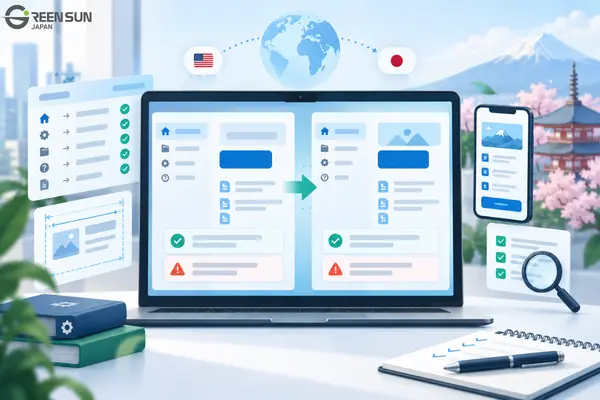
Software translation focuses on converting content from one language into another, while software localization addresses not only language but also context, interface design, and how users interact with the product.
This is the most important distinction between Japanese software translation and localization.
For example, a word such as “Save” may appear in:
- a button
- a menu
- a confirmation message
- an instruction.
If translators see only the word “Save” without knowing where it appears, they may choose wording that does not match its actual function.
For this reason, translatable strings should be separated from the source code, sentence fragments should not be concatenated, and translators should be provided with sufficient context.
The difference can be summarized as follows:
| Software Translation | Software Localization |
|---|---|
| Translates content into Japanese | Adapts the overall language experience |
| Focuses primarily on wording | Considers both wording and the interface |
| Can be performed using translation files | Requires testing within the actual product |
| Primarily focuses on accuracy | Focuses on both accuracy and usability |
| Does not always involve layout checks | Requires checking how content is displayed |
In other words, an accurate translation does not necessarily result in effective localization.
2. Which Components Need to Be Localized into Japanese?
Any content that users see or interact with in the software may fall within the scope of Japanese software localization.
Key components include:
| Component | Common Risk | Localization Consideration |
|---|---|---|
| Menus, buttons, and labels | Text is too long, difficult to understand, or does not clearly indicate the action | Use wording that matches the UI function |
| Dialog boxes | Sentences are too long to scan quickly | Make the message and available options clear |
| Error messages | The message identifies the error but does not explain how to resolve it | State the problem and what the user should do next |
| Onboarding instructions | Content is too long or sounds translated | Prioritize concise, action-oriented wording |
| Settings | The same feature is referred to by different names | Use consistent terminology |
| Tooltips | Insufficient context | Clearly indicate the relevant element and action |
| Help content | Wording does not match the UI | Use the exact feature names shown in the software |
| System notifications | The event or trigger is unclear | Consider when and under what circumstances the message appears |
| Release notes | Content is too vague or overly promotional | Clearly describe what has changed in the new version |
| System variables | Variables are translated or modified | Preserve the original technical structure |
The key point is that not all strings should be treated as ordinary sentences.
A help article can explain an action in a full sentence; a button label needs to be brief.
3. Common Literal Translation Issues in Japanese UI Localization
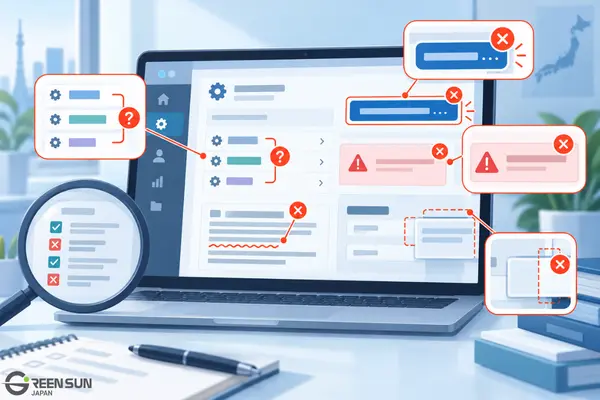
Literal translation issues often occur when translators preserve the structure of the source sentence instead of rewriting it in a way that works naturally in Japanese and within the interface. In Japanese UI localization, this is especially common when translators see only isolated strings without knowing whether they appear on a button, in a menu, in a dialog box, or as a system notification. Without sufficient context, a translation may be accurate in isolation but still look too long, awkward, or unclear when displayed in the software.
Differences in sentence structure between English and Japanese also mean that word-for-word translation or preserving the original word order can easily result in unnatural Japanese. Translations therefore need to be adapted to both the language and the context in which they are used, rather than simply matched sentence by sentence against the source.
The following are some typical examples.
3.1 Keeping Unnecessary Subjects
Source: You have successfully updated your settings.
If the full “You have…” structure is preserved, the Japanese translation may become unnecessarily long and sound like a direct translation from English.
In many interfaces, users only need to know that the update has been completed. Japanese can also often omit the subject when it is already clear from the context.
3.2 Translating a Button Label Like a Full Sentence
Source: Continue to payment
A lengthy translation may:
- overflow the button
- wrap onto another line
- be difficult to scan quickly
- fail to match the action being performed.
UI text should prioritize function over the sentence structure of the source.
3.3 Translating an Error Message Without Telling Users What to Do
Source: Authentication failed.
If the message is translated only as “authentication failed,” users still do not know what they should do next.
Depending on what the system supports, the message may need to guide users to:
- check their login credentials
- log in again
- try again
- check their connection.
Translators should not add a cause that is not provided by the system.
3.4 Using Different Translations for the Same Feature
For example, the source may contain:
Settings
Preferences
Configuration
If all three terms actually lead to the same settings area, translating them independently may result in multiple Japanese names for the same function.
This issue should be addressed by providing proper context and maintaining a terminology glossary. For products with frequent updates, a centralized multilingual content workflow can help teams keep terms consistent across releases.
3.5 An Accurate Translation That Does Not Fit the Interface
A string can be completely accurate and still cause problems if it:
- gets truncated
- wraps across too many lines
- overlaps other elements
- alters the layout.
In such cases, the interface should be designed to accommodate different string lengths, and pseudo-localization should be used to identify potential issues before the actual translation begins.
4. Japanese Software Localization Checklist Before Release
Localization is not complete until the content has been tested within the actual interface and real user flows. Reviewing translations in a standalone file can help identify linguistic errors, but it is not enough to detect issues such as truncated text, inappropriate line breaks, inconsistent terminology across screens, or content that is misunderstood because of missing context.
For Japanese software localization, testing in the actual product is particularly important because the same string may be used in multiple states, screens, or locations. A translation can be semantically accurate and still confuse users if it does not match the function of a button, dialog box, or error message.
A pre-release checklist helps teams confirm that the Japanese content is not only accurate but also easy to read, appropriate for the context, visually compatible with the interface, and helpful in guiding users toward the correct action.
4.1 Language Checks
- No unintended source-language strings remain.
- No translations are overly literal.
- Feature names are consistent.
- Writing style is consistent.
- There are no spelling errors.
4.2 UI Checks
- No button text is truncated.
- Labels do not overflow their display areas.
- Line breaks are appropriate.
- Dialog boxes are easy to read.
- Text does not break the layout.
4.3 Technical Checks
- %s, {name}, {count}, and other variables are preserved correctly.
- Dynamic data is displayed correctly.
- Resource structures remain intact.
- Sentence fragments are not concatenated in ways that create incorrect Japanese word order.
Content that must not be translated should be clearly marked to prevent code or variables from being modified during localization.
4.4 User Experience Checks
- Error messages provide guidance on what to do next whenever possible.
- Onboarding instructions guide users through the correct actions.
- Help content uses the same UI terminology as the software.
- Settings and system notifications are consistent.
4.5 Pre-Release Checks
- Release notes correspond to the correct version.
- Feature names match those used in the software.
- No new content has been overlooked.
Other common localization QA issues include untranslated strings, incorrect context, text truncation, inappropriate line breaks, and formatting errors.
5. When Should You Use Japanese Software Localization Services?
Professional localization services are particularly valuable when language quality needs to be reviewed together with the interface and how the product functions.
Companies should consider using Japanese software localization services when:
- the product contains a large number of UI strings
- strings depend heavily on context
- the software uses many variables and dynamic data elements
- the same feature appears across multiple screens
- a terminology glossary needs to be maintained
- the product is updated frequently
- there is no in-house native Japanese reviewer
- testing directly within the software is required
- the scope includes UI content, error messages, instructions, settings, help content, and release notes.
When requesting a quote, companies should clearly define what is included in the service scope.
Translating content files alone is a different scope from a project that also includes terminology management and in-context UI testing, even when the word count is the same.
1. Is Japanese Software Localization Only About Translating the UI?
No. The scope may include UI content, error messages, onboarding instructions, settings, tooltips, help content, system notifications, release notes, and technical elements related to variables or dynamic data.
2. How Is Japanese App Localization Different from Website Localization?
Japanese app localization focuses on in-product actions and states, including buttons, dialog boxes, error messages, dynamic data, and user flows. Website localization also requires attention to page structure, navigation, and web content.
3. Can UI Content Be Translated Without Screenshots?
Yes, but screenshots or contextual notes can significantly reduce the risk of misunderstanding how a string is used.
4. Should Variables Such as %s, {name}, or {count} Be Translated?
The structure of these variables should not be changed. The text surrounding the variables is what needs to be localized.
5. Why Can Grammatically Correct Japanese Still Be Unsuitable for a UI?
Because UI content is also constrained by its display location, available space, function, and interaction state.
6. Does an App Still Need to Be Tested After a Native Japanese Reviewer Has Proofread the Translation?
Yes. File-based proofreading cannot fully identify issues such as text truncation, inappropriate line breaks, incorrect context, or inconsistencies between screens.
Conclusion
Japanese software localization is the process of adapting both language and user experience so that software is suitable for users in Japan.
A successful localization project should ensure that:
- the wording sounds natural in Japanese
- terminology is consistent
- the UI is easy to understand
- technical variables remain unchanged
- error messages are useful
- help content matches the actual product
- the Japanese version is tested directly in the software before release.
If your company is preparing to launch software in Japan, a practical first step is to provide sample UI strings, screenshots, or resource files. This makes it possible to define the scope of Japanese software localization, identify potential risks, and determine the appropriate level of quality assurance before the full project begins.
Comprehensive Japanese Software Localization Solutions from Green Sun Japan
Are you preparing to launch software or an application in the Japanese market but unsure whether to begin with UI translation, terminology development, or in-product testing?
Green Sun Japan helps companies build a Japanese software localization workflow tailored to the content, functionality, and requirements of each product:
- 🌐 UI and in-product content localization: Localize menus, buttons, dialog boxes, settings, onboarding instructions, help content, and release notes according to their actual context of use.
- 📝 Consistent translation based on product terminology: Maintain consistency across feature names, placeholders, and dynamic content, reducing the risk of the same function being translated differently across multiple screens.
- 🔍 Language and UI testing before release: Review wording, literal translation issues, truncated text, inappropriate line breaks, incorrect context, and other problems that may only become visible after the translation has been integrated into the software.
👉 Contact Green Sun Japan today to send us sample strings, screenshots, or resource files and discuss the Japanese software localization solution that best fits your project.
· Key Questions to Ask When Hiring a Japanese Translator
· Common Pitfalls in Japanese Contract Translation